Instagram Updates for Businesses: What's Changed and What to Do
Every Instagram change that matters for a business, in one place: search, ranking, insights, new ways to create and share, and the rules that got tighter.


TL;DR
Instagram now works like a search engine as well as a social app: public posts from Business and Creator accounts can appear on Google and Bing, so keywords in captions, bios and alt text matter more than hashtags. The algorithm rewards shares, saves, comments and early engagement over likes. New insights show which carousel slides, Reel moments and posts drive engagement and follower growth, and new tools add reposts, linked Reels, draft previews, grid reordering, quiet posting and 20-minute Reels. The rules also got tighter on looping videos and going live, and a link in bio doesn't hurt your reach.
Instagram has changed more in the last year than in the five before it. Public posts can now turn up on Google, the algorithm rewards saves and shares over likes, insights go down to the individual carousel slide, and there are new ways to repost, link and plan your content. A few rules also got tighter. This guide brings every change that matters for a business into one place, with what to do about each.
Can Instagram posts appear in Google search?
Yes. Since 10 July 2025, public posts from professional accounts (Business or Creator profiles) can be indexed by search engines like Google and Bing. Your photos, videos, Reels, captions and even your bio can appear in standard search results, not just inside the app.
That turns your feed into something closer to a mini website. Someone searching for a product or service can find your Reel or post without ever opening Instagram.
What's eligible?
- Public Business or Creator accounts only, run by people aged 18 or over.
- Feed content: Reels, photos and carousels.
- Not Stories or Highlights.
- You can opt out in your settings if you'd rather not be indexed.
What to do
Keywords now matter more than hashtags. Write captions and a bio that use the words your customers actually search for, and add alt text that describes what's in the image, who it's for and where it is. Our guide to Instagram SEO walks through it step by step.
What does the Instagram algorithm reward now?
Quality over quantity. Likes are still nice, but they're no longer the signal that moves the needle. In order of importance, Instagram looks at:
- Shares per reach: are people passing your content on?
- Saves: is the post worth coming back to?
- Comments and replies: is it sparking real conversation?
- Early engagement: how quickly it takes off in the first 30 to 60 minutes.
So rather than chasing likes, make content worth bookmarking or sending to a friend: practical tips, how-tos, carousels that teach something and captions with substance. Post when your audience is online, so that first hour works in your favour.
Does a link in bio hurt your reach?
No. Instagram's head has confirmed that a link in bio won't affect your content's visibility. If you've avoided one because of the old myth, add it.
What can you learn from Instagram insights?
Insights are now detailed enough to change what you make, not just report on it.
Engagement by carousel slide and Reel moment
For carousels, you can see which slide got the most likes. For Reels, you can see the exact moment people liked the video. Use it to reorder slides so the strongest one comes earlier, and to build more Reels around the moments that land.
Top follower drivers
The Followers section shows which posts brought in the most new followers. It's the clearest signal yet of what kind of content grows your audience, so make more of it.
Post-level demographics
You can now see the age, gender and country of the people engaging with each post, not just your followers overall. It's a quick way to check every post is reaching the customers you want.
What's new for creating and sharing?
Reposts
You can repost other people's Reels and feed posts straight to your profile, where they sit in a Reposts tab. The engagement is credited to the original creator, and you can add a short thought of your own. For brands, it's the easiest way yet to share customer content, partner posts and social proof without screenshots or third-party apps.
Linked Reels
Link Reels together to build a series or connect a follow-up to an earlier video. Link one when you publish, or tap the three dots on a published Reel and choose "Link a Reel". Series keep people watching and give them a reason to come back.
Longer Reels and new tools
- 20-minute Reels: long enough for tutorials, storytelling and behind-the-scenes content.
- Quiz stickers: an easy way to drive engagement and gather feedback inside a Reel.
- 2x playback: viewers can long-press to watch at double speed.
- Draft previews by DM: send a Reel draft to a colleague or client for feedback before it goes live. Ideal for approvals.
Edits, Instagram's editing app
Meta's Edits app is a free creator toolkit: a multi-clip timeline, keyframe animation for text and stickers, green screen, auto-captions, voice enhancement and direct publishing to Instagram. You can upload drafts from Edits straight to Instagram, although you can't duplicate them. For a while Instagram has been giving Reels made in Edits extra reach, so it's worth trying if you edit on your phone.
Grid reorder and quiet posting
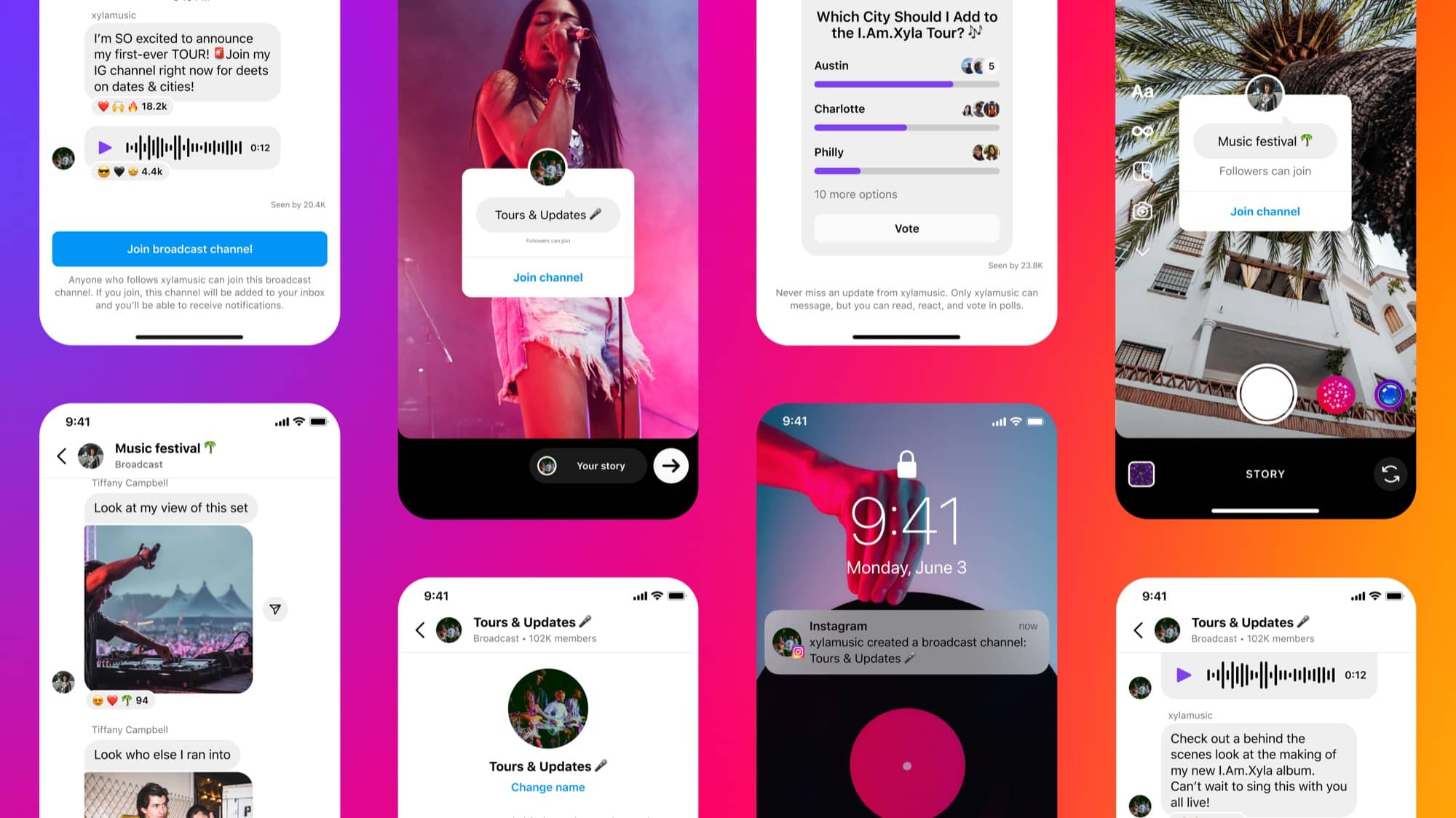
You can rearrange posts on your profile grid without deleting and re-uploading them, and publish quietly without sending a post to followers' feeds or notifications. That makes it easier to keep your profile looking considered and to soft-launch content.
What's changing for the people scrolling?
- Friends feed in Reels: a feed of Reels your friends have liked, commented on or shared. If your content resonates with one person, it can reach their friends too.
- Auto-scroll: Instagram is testing a feed that scrolls by itself for some users. Strong first seconds matter even more if it rolls out.
- Safer teen accounts: teen accounts are private by default with limited tagging and messaging, suspicious DMs are filtered automatically, and under-13 accounts are detected and restricted.
Which rules got tighter?
Looping videos
Instagram is cracking down on short videos designed to loop over and over to inflate views. If a video tries to trick people into rewatching, it may be flagged. Make it worth watching once.
A possible cap on Reels per day
Instagram is testing a limit on how many Reels you can post in 24 hours, with some creators warned they were close to a rumoured cap of 20 a day. It isn't confirmed, but quality beats volume either way.
Going live needs 1,000 followers
You now need at least 1,000 followers to go live, in line with TikTok and YouTube.
What should a business do now?
- Treat Instagram like search. Use searchable captions, a keyword-rich bio and descriptive alt text.
- Make content people save and share. Tips, tutorials and carousels beat posts made for likes.
- Use the insights. Reorder carousels, repeat what drives followers and check each post reaches the right people.
- Build series. Linked Reels and longer formats give people a reason to stay and come back.
- Repost with intent. Share customer and partner content as social proof, with your own short take.
- Keep your grid tidy. Reorder and quiet-post to keep your profile looking like a shop window.
- Play by the rules. No engineered loops, and no need to fear a link in bio.
Instagram keeps moving, but the direction is clear: it rewards real value, meaningful interaction and content people want to come back to. If you'd like help building these changes into your plan, our social media team can take it from here, or let's talk.
Want a hand with this?
Our Auckland team does Social media for New Zealand businesses every day.
- Instagram updates
- Reels
- Instagram SEO
- Social media marketing